October 20, 2026
The 5 Best Software for Multi-Carrier Shipping Management
Compare 5 multi-carrier shipping management platforms, including ShipERP, ShipStation, Easyship, ProShip and Shippo, by carriers, automation and ERP fit.
Read More
Business
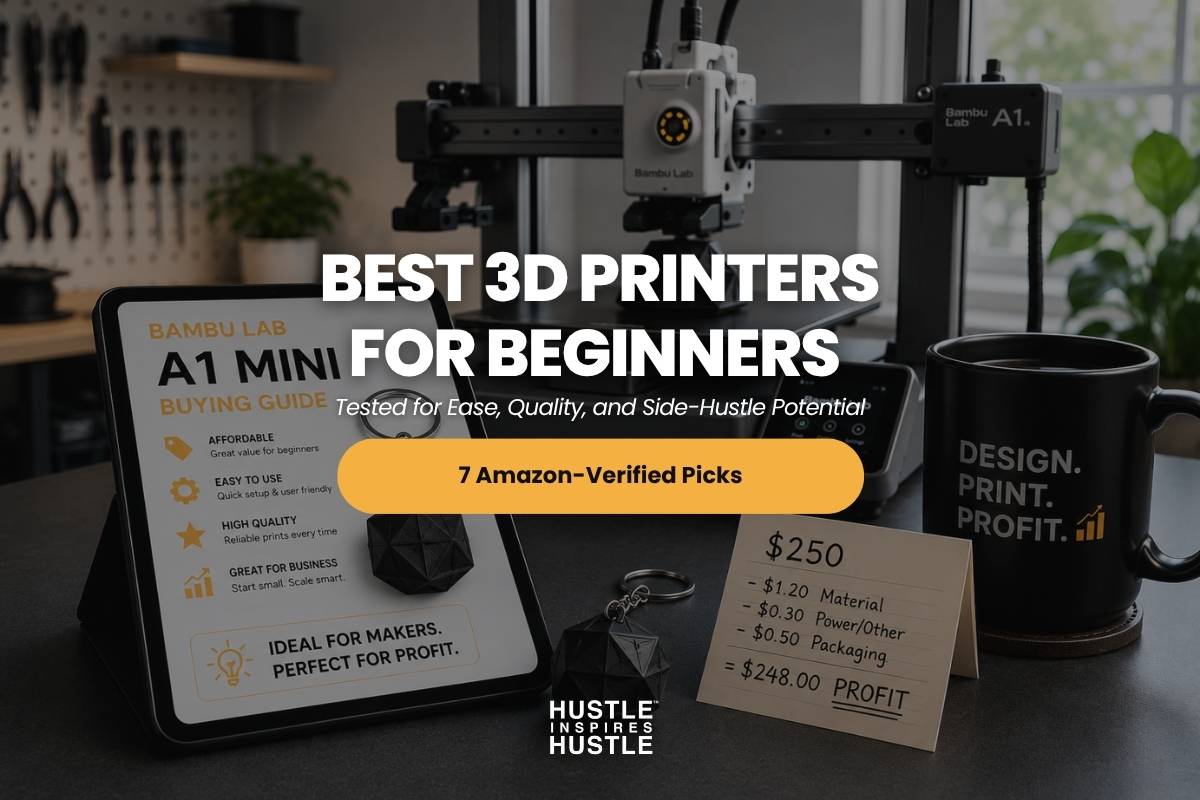
Most beginner guides treat 3D printing like a technical puzzle that requires weeks of patience and a steep learning curve. That framing expired a long time ago.
In 2026, the best 3D printer for beginners is one you unbox on a Saturday morning and run a finished print by lunch. No manual calibration. No troubleshooting rabbit holes. No expensive mistakes because you bought the wrong machine first.
Here is what most roundups skip entirely. For the right person, a $250 printer is a business tool, not a hobby purchase. Etsy sellers, custom product makers, and side hustlers are turning beginner machines into consistent income streams, and the barrier to entry has never been lower.
This guide covers seven printers verified for Amazon availability in 2026, including the best overall pick for beginners, the strongest budget option, and the top choices for makers who want to print products and actually sell them. If you want to explore side hustle ideas that start under $500, this is one of the best places to begin.
📖 YOU MIGHT ALSO LIKE
Here is how the top beginner 3D printers of 2026 stack up at a glance, including pricing, ease of use, and which ones make sense if you are thinking beyond just a hobby.
| Model | Price | Best For | Auto Level | Build Vol. | Side-Hustle? | Affiliate |
|---|---|---|---|---|---|---|
| Bambu Lab A1 | ~$299 | Best overall for beginners | Yes | 256×256×256mm | Yes — versatile small business | https://amzn.to/42jm5zf |
| Bambu Lab A1 Mini | ~$249 | Best for first-time buyers on a budget | Yes | 180×180×180mm | Yes — small Etsy products | https://amzn.to/3R7J2wB |
| Flashforge Adventurer 5M | ~$239 | Best budget enclosed CoreXY pick | Yes | 220×220×220mm | Maybe — smaller community | https://amzn.to/4nhmrQl |
| Flashforge AD5X | ~$339 | Best multi color value | Yes | 220×220×220mm | Yes — multicolor products | https://amzn.to/4CSEZD7 |
| Anycubic Cobra S1 Combo | ~$499 | Best multi color enclosed CoreXY | Yes | 250×250×250mm | Yes — multicolor at scale | https://amzn.to/4ncn7GU |
| Creality K1C | ~$549 | Best fast all-rounder | Yes | 220×220×250mm | Yes — speed matters at scale | https://amzn.to/4CSEPM1 |
| Bambu Lab P1S | ~$419 | Best for serious side hustlers | Yes | 256×256×256mm | Yes — built for production | https://amzn.to/3R2Vzhp |
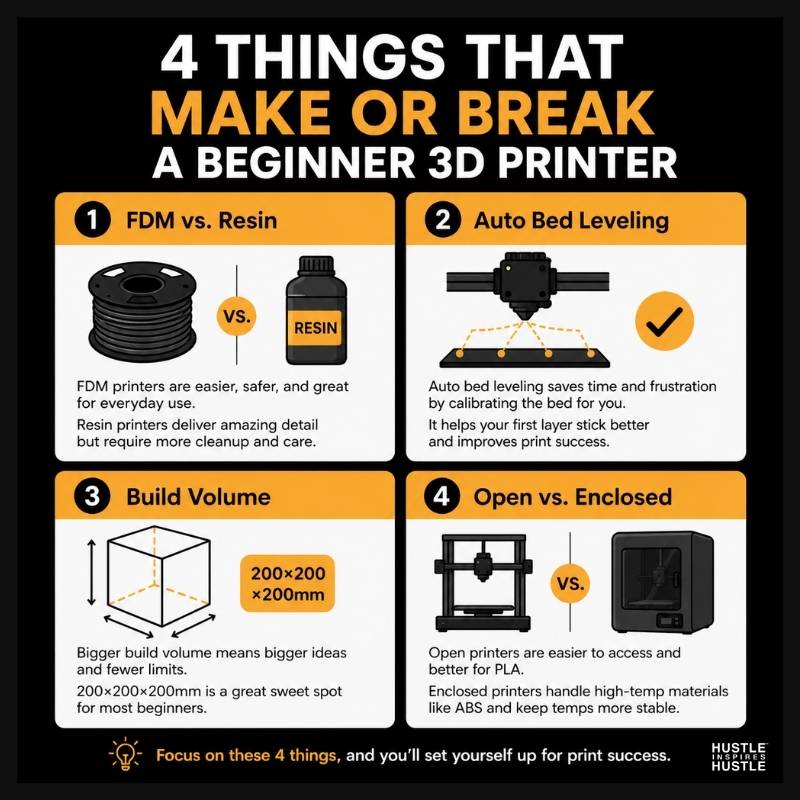
The difference between a great first 3D printer and a frustrating one comes down to four features. Auto bed leveling, ease of setup, build volume, and reliable customer support.
Before committing to any machine, weigh these criteria. They separate a frustrating purchase from one that actually gets used and, for the right buyer, pays for itself.
Most beginners should start with an FDM printer. They are cheaper, easier to set up, less messy, and the materials (PLA filament) are non-toxic and beginner-friendly.
Resin printers produce highly detailed small prints suited for miniatures, jewelry, and dental models. They require ventilation, gloves, alcohol cleaning, and UV curing. The learning curve and ongoing material handling make them a poor starting point for most new makers.
FDM printers melt plastic filament and build layer by layer. Resin printers cure liquid resin with UV light. For 95% of beginners, FDM is the right starting point. Every printer in this roundup is FDM.
Auto bed leveling lets the printer measure and adjust the distance between the nozzle and the print bed automatically before each print. Without it, beginners spend hours manually adjusting and still get failed first layers.
In 2026, auto bed leveling is standard on virtually every printer worth recommending. Every model in this roundup includes it. For anyone planning to print products to sell, failed prints waste filament and time. Auto bed leveling is the single biggest unit-economics factor at the entry level.
Most beginner prints fit easily within a 200x200x200mm build volume. Anything larger is a welcome upgrade, but not essential for first-time makers.
Build volume is measured in millimeters. For most beginners, 200x200x200mm covers virtually every starting project.
For side hustlers, if your product idea involves small items like keychains, jewelry, phone stands, or miniatures, build volume is not a constraint. If you are thinking bigger, factor in the 256x256x256mm build volume of the Bambu Lab A1 and P1S Combo.
Open-frame printers like the Bambu A1 and A1 Mini are excellent for PLA and PETG, the two most common beginner filaments. Enclosed printers like the P1S Combo, K1C, Adventurer 5M, and Kobra S1 handle a wider material range, including ABS, ASA, and engineering filaments, because the enclosure holds heat consistently.
Open-frame printers cost less and print faster on basic materials. Enclosed printers cost more but unlock professional-grade filaments like ABS and carbon fiber blends.
For pure hobby use, an open-frame is a fine starting point. For side-hustle production where you may want to expand into engineering-grade or smell-sensitive materials, an enclosed printer is the smarter long-term investment.
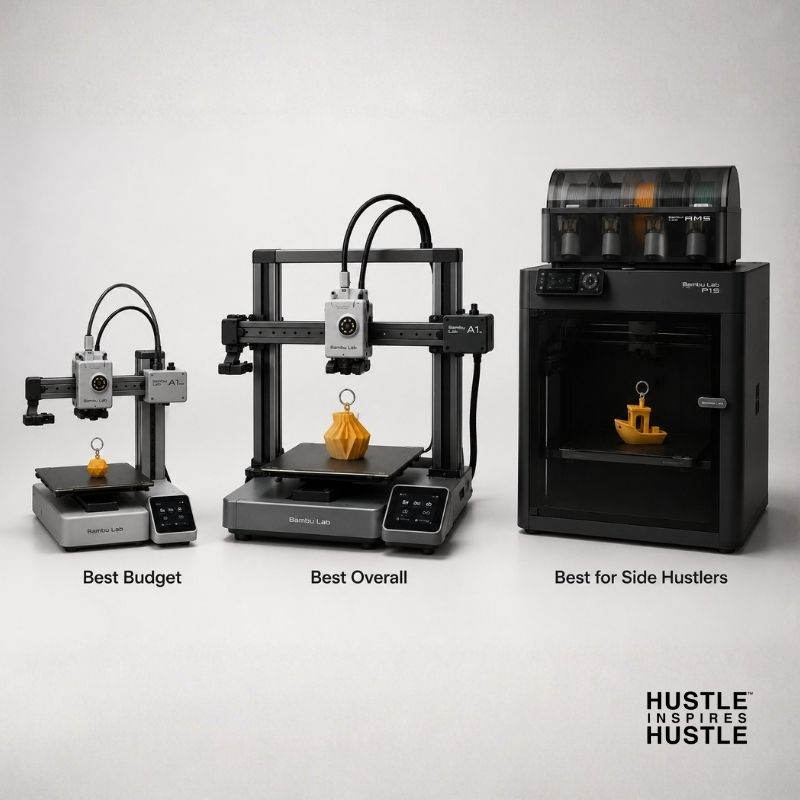
Every model below ships with auto bed leveling, comes mostly assembled, and prints quality models out of the box. Each card follows the same format: overview, pros, cons, a side-hustle verdict, and an Amazon affiliate link.
The Bambu Lab A1 is the consensus top pick across major 2026 outlets. It hits the trifecta of fast, easy, and reliable right out of the box, with a generous 256x256x256mm build volume that gives beginners plenty of room to grow.
The Bambu ecosystem (Bambu Studio, MakerWorld, and the Bambu Handy app) is the most polished slicer experience in the consumer category. The A1 also runs noticeably quieter than the Creality competition, which matters if the machine lives near your desk or in a shared space.
Pros
Cons
Side-Hustle Verdict: The most versatile pick for makers. The build volume handles everything from small Etsy keychains to mid-size product prototypes, and the AMS Lite Combo unlocks multicolor when you are ready to scale.
The Bambu Lab A1 Mini brings the same Bambu ecosystem and reliability as the full A1 in a smaller, more affordable package. It is the ideal starting point for first-time buyers who want the easiest possible experience without committing to the full A1 price.
The 180x180x180mm build volume is smaller, but the same auto-leveling, the same software, and the same AMS Lite multicolor compatibility are all there. For a beginner 3D printer on a budget, few options come close.
Pros
Cons
Side-Hustle Verdict: Ideal for small Etsy products including custom keychains, jewelry components, miniatures, and prototype iteration. The combination of speed and reliability matters when you are printing inventory, even at small scale.
An enclosed CoreXY printer at a sub-$250 price is rare in 2026. The Flashforge Adventurer 5M brings 600mm/s speeds, auto-leveling, and a 3-second nozzle swap system at a budget tier most enclosed printers cannot match. First-layer consistency on this machine rivals printers priced at $350 and above.
Pros
Cons
Side-Hustle Verdict: A strong choice for makers on a tight upfront budget who still want enclosed printing. Best for testing the side-hustle concept without committing to the full price of a Bambu or P1S Combo.
The Flashforge AD5X delivers multicolor printing at a price that significantly undercuts the Bambu A1 Combo. It is Flashforge's direct response to the AMS-style multicolor trend, equipped with a 300-degree Celsius direct drive that handles a wider material range.
For makers selling custom multicolor products, the visual punch of a dual-color or tri-color print commands premium pricing on Etsy. The AD5X gets you there without the Bambu price tag.
Pros
Cons
Side-Hustle Verdict: Solid pick for makers selling custom multicolor products who do not want to pay the Bambu premium. Branded keychains, multicolor toys, and dual-color logos command premium pricing on Etsy, and this printer delivers that capability at a lower cost.
The Anycubic Kobra S1 Combo brings an enclosed CoreXY architecture with multicolor capability already built in. It competes directly with the Bambu A1 Combo on multicolor and adds the enclosure that the A1 lacks.
Pros
Cons
Side-Hustle Verdict: The best multicolor pick for makers who plan to scale beyond PLA into more durable filaments. The enclosure unlocks ABS and carbon fiber blends, which open higher-margin product categories like functional parts and small mechanical components.
The Creality K1C is a fully enclosed CoreXY machine with 600mm/s speeds and a hardened steel nozzle ready for abrasive filaments. It is a clear step up from beginner-tier picks for makers who want production capability without reaching the Bambu P1S Combo price point.
The built-in AI camera handles failure detection and time-lapse capture, which is genuinely useful for creators who document their production process on social media.
Pros
Cons
Side-Hustle Verdict: A strong middle-ground for makers who want enclosed printing, engineering-grade filament capability, and time-lapse content for social media without paying the P1S Combo premium. A good fit for creators who document the production process online.
The Bambu Lab P1S Combo is where beginner-friendly meets production-grade. Fully enclosed, AMS-equipped for multicolor, and built for makers who plan to print frequently and consistently at higher volume.
If 3D printing is a planned income stream and not just a weekend hobby, this is the machine the math eventually justifies. The enclosed build, AMS multicolor, large build volume, and remote monitoring through the built-in camera all earn their place at this price point.
Pros
Cons
Side-Hustle Verdict: This is the printer to buy when 3D printing is a planned income stream. The enclosed build, AMS multicolor, large build volume, and remote monitoring justify the price for anyone running an Etsy shop or print-on-demand operation. Highest-margin affiliate conversion target in this lineup.
Here is what most beginner 3D printer guides miss. For the right person, a $250 printer can pay for itself in a single weekend on Etsy.
The unit economics are straightforward. A 100g spool of PLA filament costs between $2 and $4. Most small printed products use well under that per unit. Etsy sellers typically price custom keychains, phone stands, plant pots, miniatures, and cookie cutters at five to fifteen times the material cost. At those margins, recouping a $299 printer is a matter of weeks.
The products that consistently sell are practical, customizable, and hard to find elsewhere. Custom pet portrait keychains, board game accessories, branded merchandise for small businesses, seasonal cookie cutters, and personalized home organizers all perform well on Etsy and Amazon Handmade. The niche matters more than the printer. A clear product idea paired with a reliable machine is the formula.
The core Hustle Inspires Hustle thesis applies here directly. Small businesses that work share the same DNA: a tool that earns its keep, a focused niche, and consistent execution. A 3D printer fits that model when you have a product in mind before you unbox it.
Start with the Bambu Lab A1 if you are testing the concept. Move to the Bambu Lab P1S Combo when orders become consistent. The side hustle does not need the most expensive machine on day one. It needs a machine that keeps printing reliably while you figure out the rest.
To explore more side hustle ideas worth starting under $500, the Hustle Inspires Hustle newsletter breaks down new opportunities every week.
3D printing in 2026 is more accessible than at any point in the technology's history. The barrier is no longer the machine. It is whether the buyer has a clear use case in mind before they commit.
Choosing the best 3D printer for beginners comes down to matching the machine to your actual goal, whether that is a hobby, a gift-making project, or a product business.
The short version: the Bambu Lab A1 is the best 3D printer for most beginners in 2026. The Bambu Lab A1 Mini is the best budget pick. The Bambu Lab P1S Combo is the right call if you are starting a side business. The Creality K1C covers engineering filaments and high-speed printing. The Flashforge AD5X and Anycubic Kobra S1 Combo serve the multicolor segment. The Flashforge Adventurer 5M is the best budget-enclosed option on the list.
The printer that earns its keep is always the one you actually use. And the one you actually use is the one that did not intimidate you on day one.
The Bambu Lab A1 is the consensus best 3D printer for beginners in 2026, priced around $299. It ships with auto calibration, near-silent operation, and reliable out-of-box performance, and most users print successfully within 30 minutes of unboxing. For tighter budgets, the Bambu Lab A1 Mini at around $249 is a strong runner-up. For makers ready to scale into a side business, the Bambu Lab P1S Combo adds enclosed printing and multicolor capability out of the box.
Most beginners should budget between $240 and $550. Below $240, you start to lose features that genuinely matter for first-time users including auto bed leveling, reliable customer support, and active firmware updates. Above $850, you are paying for production-grade features that hobbyists rarely need unless they are planning to sell prints.
Not anymore. The 3D printers worth recommending in 2026 ship mostly pre-assembled, auto-level themselves, and walk users through their first print via touchscreen tutorials. Most first-time buyers complete a successful print within an hour of unboxing, assuming they pick a model from a reputable brand and avoid unbranded budget options.
Yes. Small-scale side income is realistic with even an entry-level printer. Etsy sellers making custom keychains, miniatures, planters, and cookie cutters routinely cover their printer cost within a few months. Scaling to full-time income requires a clear product niche, consistent marketing, and either multiple printers or a faster machine like the Bambu Lab P1S Combo or Creality K1C.
FDM printers melt plastic filament and build prints layer by layer. Resin printers cure liquid resin with UV light to produce highly detailed prints. FDM is cheaper, easier, less messy, and right for 95% of beginners. Resin makes sense for specialty uses like miniatures, jewelry, or dental models where extreme detail matters. Every model in this roundup is FDM.
No. Almost any modern laptop or desktop can run the slicer software, including Bambu Studio, Cura, and PrusaSlicer. You only need a powerful computer if you plan to design your own 3D models in CAD software like Fusion 360. Even then, mid-range hardware handles most beginner projects without issue.
The Hustle Inspires Hustle take: start with the Bambu Lab A1 if you are testing the idea, and upgrade to the Bambu Lab P1S Combo once orders become consistent. The A1 lets you validate a product niche without major capital risk. The P1S Combo adds the speed, enclosed-printing capability, and AMS multicolor system that makes a real side hustle sustainable. Skip the budget options if income, and not just the hobby, is the plan.

Alex Quin is a full-stack marketing expert and global keynote speaker. Founder and Chief Marketing Officer of UADV Marketing - a member of the Forbes Agency Council.